
40 AirDrop Mockup Ad Examples
AirDrop mockup ads open on the share prompt iPhone users know, as if someone had just sent you something. Look at the examples below, then read how to stage one.
Niche
Hook2 selected
Brand
SortNewest
Top hook tactics in AirDrop Mockup ads
Top brands running AirDrop Mockup ads
What are AirDrop Mockup ads?
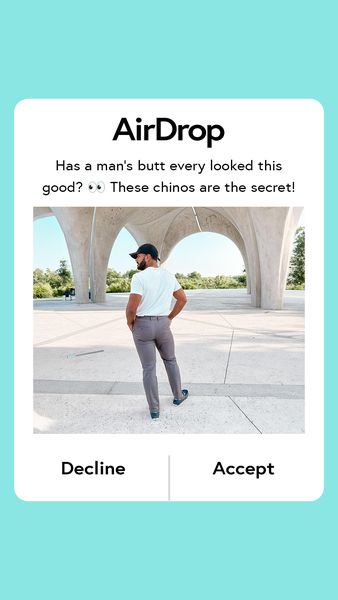
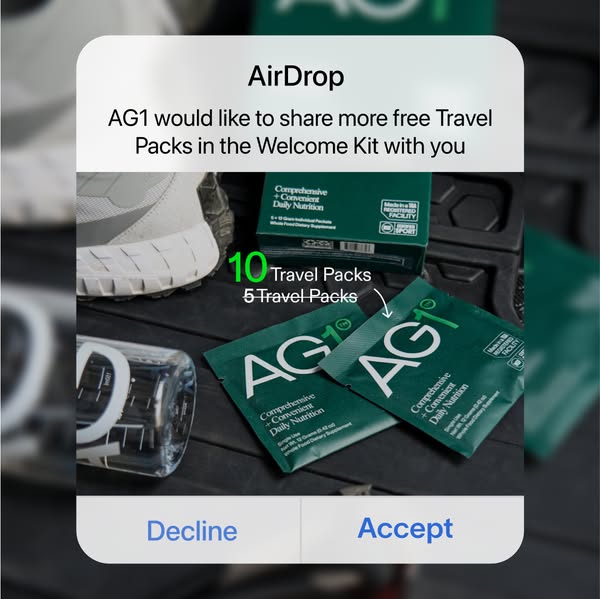
An AirDrop mockup ad recreates the pop-up that appears when someone shares a file to a nearby iPhone: a small card with a sender's name, a preview image and the Decline and Accept buttons. In the ad, the preview is the pitch, whether a photo, a screenshot or an offer, and the prompt is the way in. The pattern interrupt comes from the interface itself. For a split second it looks like a message to the viewer, which is a different feeling from a banner. After the prompt, the ad usually opens the content or cuts to a creator, a product shot or a demo.
When to use AirDrop Mockup ads
- You need a first frame that looks like something happening on the viewer's own phone, to stop the scroll before the message begins.
- Your content is a thing worth being sent: a before and after photo, a screenshot, a recipe, a template or a leaked-looking offer.
- You advertise to an audience that is mostly on iPhone, where the prompt is understood at once.
- You want a curiosity hook that needs no face or voice, which suits a static image or a very short video.
- You are building variations and want to swap only the preview image and the sender name.
AirDrop Mockup ad best practices
Make the preview worth opening
The card shows a thumbnail, so the thumbnail is the hook. Use an image that raises a question or shows a result, and keep it readable at small size.
Pick a believable sender
A first name, a team or a plain label feels natural. Avoid using a real person's name, and avoid anything that suggests the viewer's own contacts sent it.
Match the system look
Corner radius, blur, type size and button colours are what sell the prompt. Check them against a current phone screenshot, because an off-looking card breaks the illusion at once.
Pay it off straight after
The prompt promises to show something. Cut quickly to that content, or the viewer feels tricked. Open the file, play the clip, reveal the offer.
Keep the words short
The prompt has room for a name and a few words. Let the caption outside the frame carry the explanation, and the body of the ad carry the product.
Brands running AirDrop Mockup ads
Niches with the most AirDrop Mockup ads
Related formats
Related niches
AirDrop Mockup ads: frequently asked questions
What is an AirDrop mockup ad?
An AirDrop mockup ad uses a recreated AirDrop share prompt as its creative or its opening frame. The pop-up appears to deliver an image, file or offer to the viewer's phone, and the ad then reveals what was sent.
Is an AirDrop mockup the same as a text message ad?
No. A text message ad copies a chat thread, which suits stories and conversations. An AirDrop mockup copies a single share prompt, which suits a quick reveal. The first is read, the second is accepted.
Does the ad actually send anything to the viewer's phone?
No. It is a designed image or video that only looks like the system prompt. Do not claim or imply otherwise, and read the current platform ad rules before running a creative that imitates an operating system interface.
Do AirDrop mockup ads suit Android audiences?
The prompt is specific to Apple devices, so viewers on other phones may not recognise it. If your audience is mixed, test it against a more neutral share or message design, and look in the gallery at which angle your competitors choose.