
1,133 Graphic Overlay Ad Examples
Graphic overlay ads add stickers, arrows, badges and shapes on top of footage or a photo. Browse the examples below, then read how brands use them to point at what matters without cluttering the frame.
Niche2 selected
Hook2 selected
Brand
SortNewest



Top hook tactics in Graphic Overlay ads
Top brands running Graphic Overlay ads
What are Graphic Overlay ads?
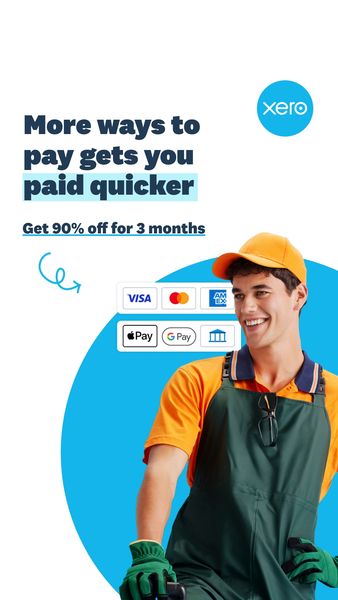
A graphic overlay ad lays graphics and stickers over footage or a photo: arrows, circles, price tags, badges, emoji, shapes, a burst with the offer. The base image stays recognisable, and the overlay tells the eye where to look and what to read first. The look is close to how people edit their own posts, which keeps the ad from feeling like a polished brand film.
When to use Graphic Overlay ads
- A photo or clip is good but the key detail is small, and you need to point at it so a fast scroller sees it.
- You want an edited, creator-like feel by adding stickers and shapes instead of a heavy brand layout.
- An offer, a price or a badge such as new or bestseller should sit visibly on the image without a full redesign.
- You test the same footage with different callouts to see which detail the audience reacts to.
- You research competitor ads to learn which graphic devices brands in your niche rely on.
Graphic Overlay ad best practices
Use the graphic to direct the eye
An arrow or a circle should land on the thing you want noticed, such as the texture, the label or the result. Decorative stickers with no job make the frame busy and the message weaker.
Keep a small kit of elements
Pick two or three shapes, one colour family and one type style, and repeat them. A consistent kit reads as a brand, while a pile of different stickers reads as noise.
Leave breathing room around the subject
Overlays should sit beside the subject, not on top of the face or the product. If the graphic hides what it points to, remove it or move it to the edge of the safe area.
Time the overlay in video
Let the graphic appear when the line it supports is spoken or shown. A sticker that arrives late or lingers after the moment passes feels like a mistake.
Pair it with a clear line
Graphics catch the eye, but a short headline carries the reason. Use the overlay to highlight one idea and the text to name it.
Brands running Graphic Overlay ads
Niches with the most Graphic Overlay ads
Related formats
Related niches
Graphic Overlay ads: frequently asked questions
What is a graphic overlay ad?
A graphic overlay ad is a photo or video with graphics laid over it, such as stickers, arrows, badges and shapes. The graphics guide the eye and often carry the offer or a callout.
How is a graphic overlay different from a text overlay?
A text overlay is mainly words on top of an image. A graphic overlay is mainly shapes and stickers, which may include short text. The two are often combined in the same ad.
When do graphic overlays help an ad?
When the image has a detail the viewer might miss, or when an offer or badge needs to sit on the creative. They also give edited footage the casual feel of a creator's own post.
Can too many graphics hurt an ad?
Yes. A crowded frame hides the subject and makes the message harder to read at phone size. Keep the number of elements small and make each one point at something.
Where do I find graphic overlay ad examples?
The gallery above shows graphic overlay ads from real brands. Sign in for free to open the first 100 ads of every list, or ask your AI agent to find them and compare the devices used in your niche.